The Modern AscendOS™ DevEx: Choose Your Integration Path
Test AscendOS risk-free. Spin up proofs-of-concept in our secure sandbox, validate your integration approach, and migrate your work to UAT. Modern DevEx tools and detailed guidance mean you can troubleshoot early, iterate fast, and launch with confidence — all before signing a contract. Jump into our sandbox today.
How Do You Want to Build With AscendOS?
The Apex developer experience (DevEx) is designed to meet you where you are, whether that means a traditional code-first approach or leveraging the latest in AI-assisted development — or both. Either way, you can use our AI tools to help fast-track your prototyping and deployment. Today, there are four complementary paths to integration with AscendOS, and the choice is yours.
- Use the Developer Portal tools
- Get answers to your development and workflow questions with Ask Ascend, a GenAI assistant in the Developer Portal that helps bridge documentation and development
- Leverage Agentic AI With Our Agentic Development Kit (ADK) in your Integrated Development Environment (IDE) and leading AI model providers
- Use Both GenAI and Agentic AI for a leading-edge developer experience
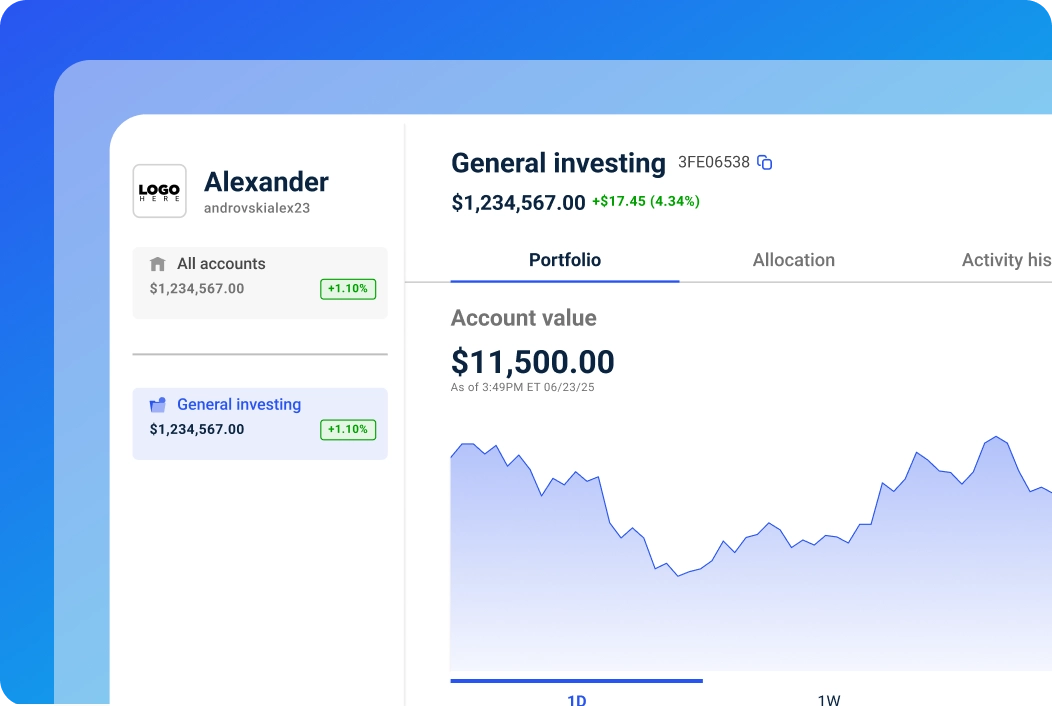
What if You Want Apex to Handle Your Build?
No problem! If you don’t have the engineering staff to handle your digital transformation with AscendOS, we’ve got you covered. Follow the links to read more about our typical integration paths:
Deploy an Apex-managed turnkey white-label platform
What Is AscendOS?
AscendOS is our cloud-native clearing, custody, and trading infrastructure built on Google Cloud with real-time data access, modern DevEx, and production-proven scale and reliability. Use the entire platform as your core tech stack, integrate individual components into your existing product, or build what you envision — without working around legacy technology limitations. Read more about AscendOS.
What Makes AscendOS Different for Developers?
Finally, brokerage infrastructure that doesn’t feel like you’re integrating with a 1990’s mainframe. And a developer experience that’s from the twenty-first century.
- Cloud-Native Architecture. AscendOS is not a lift-and-shift of legacy tech to the cloud. Skip old school capacity planning and server provisioning with elastic scaling
- A Real-Time Ledger. Strike “build and maintain a shadow ledger” off your to-do list
- RESTful API-First Design. Use modern protocols with SDKs in Python, Java, TypeScript, and Go
- AI-Powered Developer Tools.
- Production-Proven Scale. Avoid rebuilding or migrating again as your business grows with capacity up to millions of account openings per hour, millions of ACH transactions per hour, and thousands of orders per second*
- Integration Marketplace Shortcuts. Many popular third-party tools are already integrated with AscendOS so you don’t have to do the heavy lifting
- Rolling Tech Updates. Count on automatic updates as we release new features, enhancements, integrations, and bug fixes
What Comes Pre-Built in AscendOS?
When you don’t have to build these key components, you can accelerate your deployment.
- Real-time ledger (no building and maintaining a shadow ledger)
- Order Management System (OMS)
- Execution Management System (EMS)
- Cost Basis and Tax
- Apex Rebalancer integrated with Model Marketplace
- Ascend Workstation, our client admin portal
- White-label investor UIs (for iOS, Android, desktop, web)
- Support for 10 asset classes**
- Support for over 30 account types
* Apex proprietary data as of 4/30/2026.
** Select asset classes are available as a third-party integration.
Who Should Choose Turnkey White-Label Integration?
Our white-label integration is best for wealth firms, brokerages, and startups that don’t have in-house developers, need an affordable core tech stack, or want to launch as quickly as possible. Let Apex do the heavy lifting for you — and help you save time, money, and stress.
Read this article, Building a Hybrid Advisory Model That Works, if you’re considering how to combine a robo model with on-demand human advice — because we have a turnkey AscendOS solution called Augmented Advice™.
What Does Turnkey Integration Mean at Apex?
You get a production-ready wealth management platform in just a few weeks without building it yourself. Just share your business model requirements and provide brand assets such as your logo, color palette, and fonts. In return, you’ll get:
Access to GenAI Ask Ascend
Explore AscendOS capabilities in plain English before you buy
Apex-Managed Deployment
With input from your team, Apex can build and host your platform
Dedicated Onboarding Support
Direct access to a project manager, solutions engineer, and onboarding team
Integration Marketplace Shortcuts
Pre-integrated data providers, CRMs, analytics tools, and more so we can add third-party solutions you already love
Automatic Tech Updates
Count on rolling updates as we release new features, enhancements, integrations, and bug fixes
Who Should Choose Embedded Integration?
Companies with existing platforms who want to blend Apex capabilities into their current user experience typically opt to integrate individual AscendOS components using REST APIs. This path works for fintechs, established broker-dealers, treasury platforms, retirement plan administrators, consumer brands, and any business adding investing to an existing product.
What Does Embedded Integration Mean at Apex?
Choose the components you need — such as accounts, trading, custody, or cash management modules — and integrate them via APIs into your current product. You own the customer relationship and UX; Apex handles the regulated brokerage infrastructure.
Most clients who embed Apex features and modules use our Developer Portal and follow this standard process:
- Install AscendOS Software Development Kit (SDK) in your preferred language (Typescript, Python, Java, or Go) via standard package managers or GitHub into your existing codebase
- Use SDK-enabled global theming to configure colors, fonts, and layouts to match your brand
- Layer custom features and workflows on top of the SDK base
- Deploy within your native app on your regular release cycle
- Lean on Ask Ascend, our GenAI assistant trained on AscendOS API documentation, integration guides, and more
- Collaborate with your dedicated Apex project manager, solutions engineer, and onboarding team
If desired, your engineers can use the AscendOS Agentic Development Kit (ADK) with a third-party agentic AI tool to assist with code generation and workflow execution — all in your own Integrated Development Environment (IDE).
Read Build Your Investing Platform With the Apex Developer Portal to learn more about our tools made by developers for developers.
Who Should Choose API-First Custom Integration?
Businesses that want maximum control over their build or have unique business models that don’t fit pre-configured UIs. This path requires engineering resources but delivers virtually unlimited customization and the ability to differentiate with user experiences, workflows, and feature sets that competitors can’t replicate.
What API-First Integration Lets You Control

Full UI/UX design and implementation

Custom workflows tailored to your business logic

Integration with proprietary systems and third-party tools

Data models and reporting optimized for your use cases
What Apex Provides to Enable Fully Custom Builds

REST APIs with webhook support for real-time event notifications (e.g., account updates, order fills, cash movements, corporate actions)

SDKs in Python, Java, TypeScript, and Go that can reduce boilerplate code by 80K–300K lines, depending on the language

OpenAPI specs published in UAT for automatic SDK updates

Postman Collections with 50+ pre-configured API requests for exploratory testing

The AscendOS ADK to use with a third-party agentic AI tool for spec-driven development

Our GenAI assistant, Ask Ascend, trained on AscendOS API documentation, integration guides, and platform architecture to help save time manually searching for detailed information
A dedicated project manager, solutions engineer, and onboarding team to help you along the way
What’s Inside the Apex Developer Portal?
The Developer Portal is your central hub for integrating with AscendOS. Built by engineers to deliver a superior developer experience, it includes everything you need to experiment in the Sandbox and build in UAT — all before you sign a contract. We built the Developer Portal to make your team’s job easier and your integration faster. Here’s what you get with Developer Portal access:
- Developer Dashboard: Track API usage, monitor integration progress, and manage credentials
- Sandbox Environment: Production-mirrored test environment with sample data and mock trades
- Sample Code: Working snippets that show proper syntax and can jumpstart your build
- SDKs: Python, Java, TypeScript, and Go libraries that reduce boilerplate code by 80K–300K lines, depending upon the language
- Postman Collection: 50+ pre-configured API requests for exploratory testing
- APIs and API Documentation: OpenAPI specs, endpoint references, and authentication guides
- Recipes: Step-by-step guides for complex workflows
- Integration Marketplace: Reduce integration complexity with pre-configured connectors to many popular third-party tools
- Ask Ascend (GenAI assistant): 24/7 technical support with detailed answers
- AscendOS ADK (Agentic Development Kit): Enables agentic AI-assisted development in your own IDE with a third-party agentic AI tool
- Apex Service Center Access: Submit a service ticket online in 60 seconds†
What APIs Does AscendOS Provide?
Here’s a list of some of the AscendOS APIs grouped across seven functional categories. You’ll find full API documentation, SDKs, and Ask Ascend GenAI technical assistance in the Developer Portal.

Account Management
- Accounts API: Create, update, and manage investor accounts
- Identity & Access Management (IAM) API: Authentication, permissions, and security controls
- Investor Documents API: Batch upload links, document retrieval, and compliance records
- Billing API: Fee calculations, invoicing, and payment processing

Trading and Orders
- Orders API: Execute trades, manage order lifecycle, and retrieve trade history
- Trade Management API: Post-trade operations, confirmations, and settlements
- Buying Power API: Real-time buying power calculations and margin requirements

Money Movement
- Cash API: Deposits, withdrawals, and cash position management
- Transfers API: ACH, wire, and internal transfers
- ACATS API: Automated Customer Account Transfer Service for account transfers

Portfolio Management
- Rebalancer API: Automated portfolio rebalancing with tax optimization
- Assets API: Retrieve detailed security and instrument data
- Ledger API: Real-time ledger entries, activities, and position records

Data and Analytics
- Data Retrieval API: Access historical data, reporting, and analytics
- Events API: Webhooks and real-time event notifications for system updates

Compliance and Operations
- Investigations API: Fraud detection, compliance monitoring, and audit trails

Alternative Investments
- Alternative Investments API: Account accreditation, alternative orders, and alternative asset management

Cost Basis and Tax
- Cost Basis and Tax API: Cost basis calculations, corporate actions processing, tax lot accounting, and automated tax reporting
† In demonstrations, service center tickets can be completed and submitted in under a minute. Apex proprietary data as of 8/1/24.
How Does AI-Assisted Integration Accelerate Your Build?
Apex offers two AI-powered tools that can help reduce development time, answer technical questions, and turn natural language prompts into working code. Both tools enhance the AscendOS developer experience in different ways.
Ask Ascend (Generative AI Assistant)
Ask Ascend is a GenAI assistant trained on Apex API documentation, developer guides, SDK references, and internal knowledge base articles. Use it to:
- Get detailed answers about AscendOS capabilities and integration requirements
- Explore functionality with natural language queries to validate that the platform meets your business requirements
- Find API documentation, code examples, and troubleshooting guidance quickly
AscendOS Agentic Development Kit (ADK)
The ADK is a comprehensive set of tools, frameworks, and integrations designed for use with third-party agentic AI assistants in your own Integrated Development Environment (IDE). Built from the same API documentation, references, and sample code available in the Developer Portal, the ADK packages everything into one place, making it faster for your third-party agentic AI to search context and execute workflows without hunting across multiple resources.
Unlike GenAI that answers questions, agentic AI executes multi-step workflows autonomously based on high-level goals. Say “open and fund a new brokerage account” and the agentic AI breaks that into a logical sequence of API calls, SDK functions, and validation steps — then executes it.
Learn more about what’s included in the AscendOS ADK by reading the article How to Use Agentic AI in Wealthtech.
Ready to Start Exploring AscendOS in Our Sandbox?
Request access to the Apex Developer Portal today. Note that your pre-sales sandbox work can be migrated directly to UAT if your buying committee chooses to work with Apex.
FAQs
A Few FAQs About AscendOS Integration
Turnkey white-label integration is the fastest and most cost-effective path and is most often chosen by wealth firms and startups without in-house engineers. This integration path is Apex-managed, meaning we build and host your core tech stack, provide ongoing API updates, and maintain the AscendOS cloud-native infrastructure.
It depends. Choose our Apex-managed white-label integration and the answer is no; our developers and onboarding team will get you set up. Need to build a unique-to-you solution? You’ll likely need engineers who can collaborate with your dedicated Apex project manager, solutions engineer, and onboarding team.
Possible? Definitely, if you’re talking API handshakes. Probable? Not so much. Here’s why. Our shortest integration path, Apex-managed white-label onboarding, follows a framework that includes more than merely connecting with our APIs. Our process includes collecting your business requirements, migrating your historical data, QAing your platform, training your users, and more — all designed to help ensure you have a successful launch.
Absolutely not. Apex works with businesses of all sizes — from startups with no developers to industry titans with full engineering teams, and companies that fall everywhere in between.
Our mission is frictionless investing for everyone. That means removing barriers not just for end investors, but for the businesses serving them. Whether you’re launching your first product or modernizing legacy infrastructure, you deserve to leverage the same leading Apex technology and services that can support your growth for many years to come.
Of course! The sandbox gives you a place to experiment, explore, and test different approaches and ideas. In fact, many clients start with a turnkey launch before building their bespoke offering on a longer timeline. We approach each AscendOS integration with flexibility and optimism because your success matters more to us than fitting you into a predefined box.